
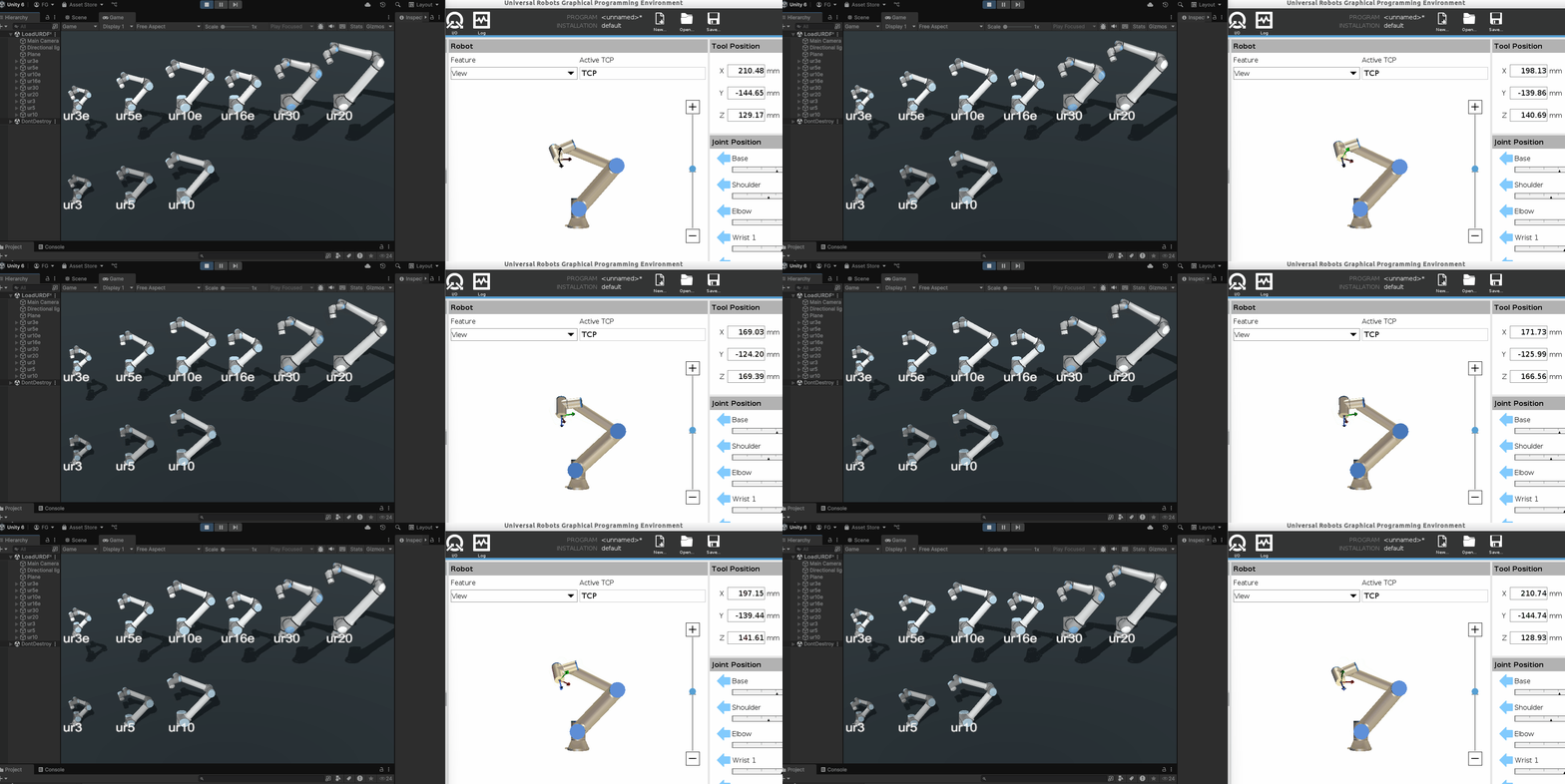
This Unity project connects a Unity scene to real Universal Robots arms with the UnderAutomation Universal Robots SDK. Use it as a starting point for digital twins, 3D simulations and supervision of robot cells.
- Product page: underautomation.com/universal-robots
- Documentation: underautomation.com/universal-robots/documentation
- Also available for .NET, Python and LabVIEW
- The SDK:
Assets/Plugins/UnderAutomation.UniversalRobots.dll, the .NET Framework 3.5 build of the SDK. It gives the same interfaces as the .NET package: RTDE (up to 500 Hz), Primary Interface and URScript, Dashboard Server, REST API, SSH and SFTP, kinematics. - A demo scene (
Assets/Scenes/LoadURDF.unity, scriptAssets/Test.cs): it loads the UR3, UR5, UR10, UR3e, UR5e, UR10e, UR16e, UR20 and UR30 models, connects to a robot and moves the 3D model with the joint positions of the real robot. - 3D models of the arms: URDF descriptions and meshes taken from
ros-industrial/universal_robot. Only the 3D files are
used: the project does not need ROS. The meshes of some models come with the terms of use of Universal
Robots (
LICENSE.txtin their folder). - URDF loader: gkjohnson/urdf-loaders, in
Assets/URDFLoader, with support of the DAE files in the Unity Editor.
The DLL is fully managed, with no native dependency.
- Clone this repository and open the folder in Unity Hub.
- Open the scene
Assets/Scenes/LoadURDF.unity. - Press Play, type the IP address of your robot or of URSim in the field at the top left, then connect.
The Release workflow of the SDK updates the DLL of Assets/Plugins on the main branch at each release.
You can also replace it with the net35 DLL of the UniversalRobots.NET releases.
- Robots: CB-Series and e-Series robots and the newer models, with PolyScope or PolyScope X, and URSim.
- Operating systems: Windows, Linux, macOS, iOS, Android.
- Unity: the DLL targets .NET Framework 3.5.
The SDK needs a commercial license. A 30-day trial starts at the first use, no key needed.
- License agreement: underautomation.com/universal-robots/eula and License.md
- Third-party code included in the DLL: THIRD-PARTY-NOTICES.txt (added at the next release)
- Trial, license key and source license: underautomation.com/universal-robots/documentation/license
- Prices and quote: underautomation.com/universal-robots
- Documentation: underautomation.com/universal-robots/documentation
- Issues: GitHub Issues
- Contact: underautomation.com/contact