Repository navigation
Correct spelling and Markdown in lidR tutorial - #386
Conversation

Co-authored-by: Copilot <223556219+Copilot@users.noreply.github.com>


|
@bserrien: I have screened quite fast the textual improvements and it seems correct. Can you provide a formal review and adjust further where needed? Thanks! |


 bserrien
left a comment
bserrien
left a comment
There was a problem hiding this comment.
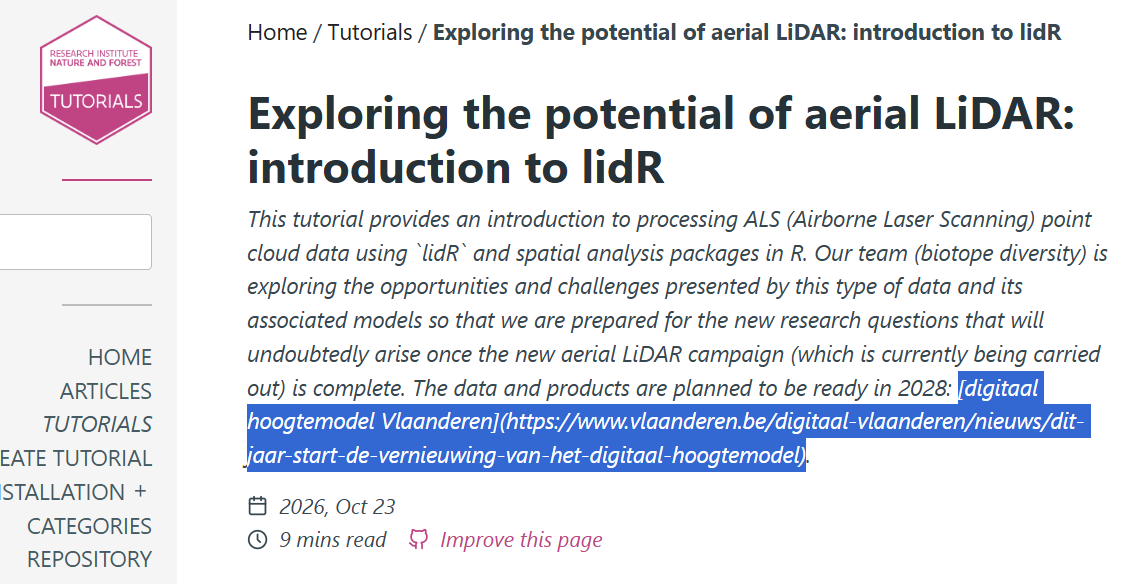
All changes proposed by Damiano are okay, thank you Damiano! I also saw that the formatting of the link in the description was not correct. If I had to guess, this is related to Hugo expecting only text in the description, not markdown. I moved it to the introduction where it is formatted correctly. Do you agree?
|
Hi @bserrien! I agree. Actually the description text should not be too long, so links can be placed in the introduction, for sure. Still, I think that the first sentence could stay in the description as it is very informative and still quite short. Thanks for reviewing. |

|
@bserrien: if you agree, could you please approve this PR? It seems I have no write access to this repository, strange. And a PR can be merged only if reviewers with write access approve it. Thanks. |
|
Thanks @bserrien |


Description
Correct spelling, grammar, LiDAR terminology, and Markdown list formatting in the existing lidR tutorial. Also fix the capitalization and path of its GitHub link.
Related Issue
None.
Task list
tutorials/content/index.md. In case of an Rmarkdown tutorial I have knitted myindex.Rmdtoindex.md(both files are pushed to the repo).yamlheader:authorsyaml tag, using[MY_AUTHOR_ID]. An author information file exists in<tutorials>/data/authors/<author>.toml.categoriesto the YAML header and my category tags are from the list of categories.tags(i.e. keywords) in the YAML header to improve the visibility of the new tutorial (see the tags listed in the tutorials website side bar).dateis in formatYYYY-MM-DDand adjusted.Previewing the pull request
Thanks to GitHub Actions, an artifact (=zip file) of the rendered website is automatically created for each pull request.
This provides a way to preview how these updates will look on the website, useful to contributors and reviewers.
Instructions to preview the updated website
Downloads/tutorials_preview.httpsites on your local machine. One such option is theservrpackage in R:& '\C:\Program Files\R\R-4.4.2\bin\Rscript.exe' -e "servr::httd('./tutorials_preview')" -p8887(make sure to adjust the path to yourRscript.exe; on Linux, simply useRscript -e [...]).Note: for step 3, you can use any other simple HTTP server to serve the current directory, e.g. Python
http.server:python -m http.server 8887 --bind localhost --directory path/to/tutorials_previewAlternative: Locally Building the Site
Alternatively, you can build the entire site locally (see the README for instructions); the Hugo preview server will update changes on the fly.
This requires Hugo to be installed on your computer.