Image optimization CLI for frontend builds.
Minify PNG, JPEG, GIF and SVG, convert to WebP, resize with sharp, and validate HTML with HTMLHint, in parallel, from one command.


">https://img.shields.io/node/v/@devexteam/dvx-cli">

Quick start · Commands · CI & scripts · FAQ · Issues
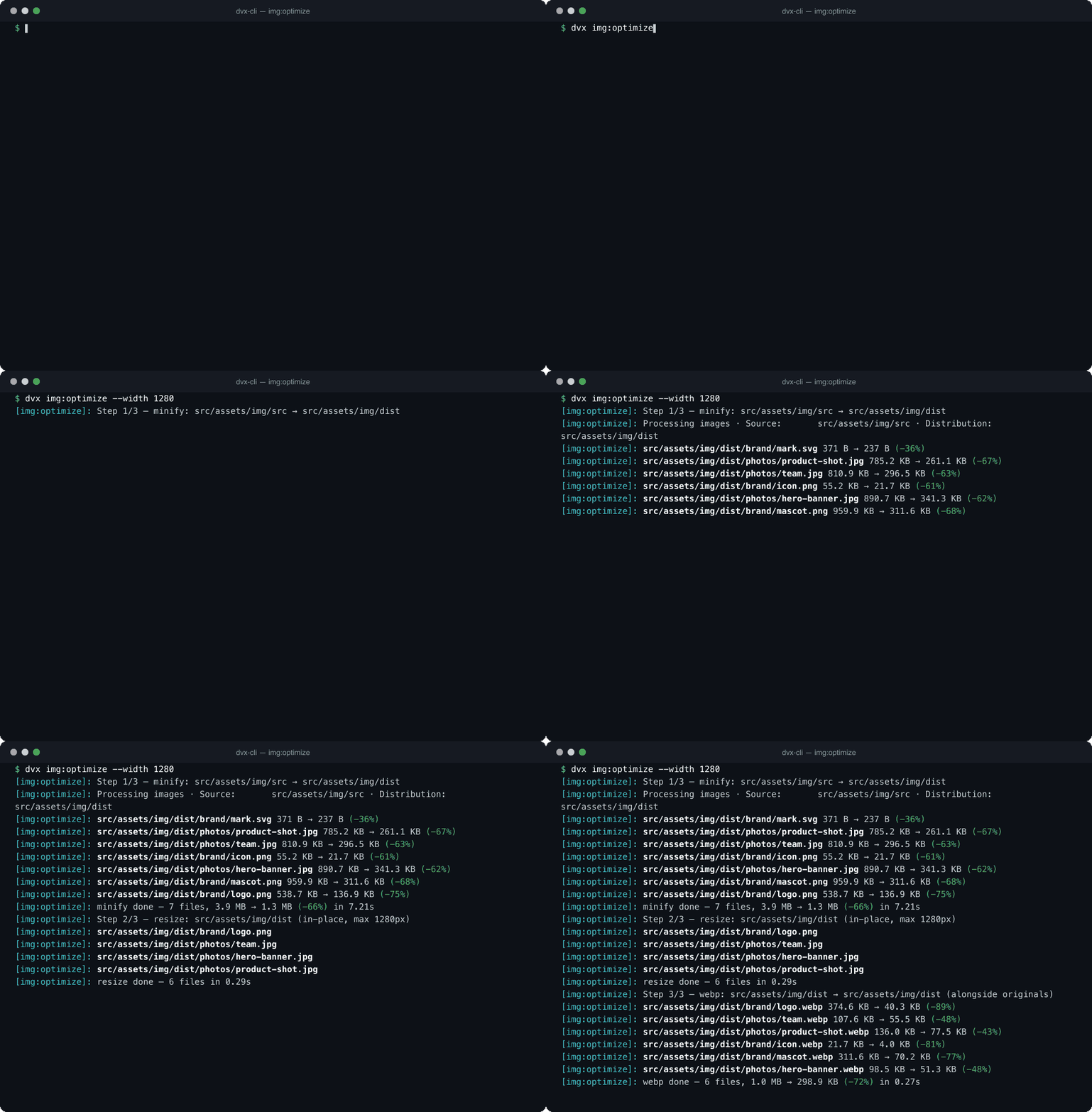
Optimizing images for the web usually means wiring imagemin, mozjpeg, pngquant, svgo and sharp together by hand. dvx packages that stack behind a few commands with sensible defaults, so a folder of source images becomes a folder of web-ready images (and WebP copies) with one line in your package.json.
- One command per job:
img:minify,img:towebp,img:resize, orimg:optimizeto do all three. - Fast on big folders: files are processed in parallel with worker threads (one per core, minus one).
- Incremental:
img:minifyskips images whose optimized copy is already newer than the source, andimg:resizeskips images that already fit. - Quality presets:
--quality high|medium|lowis shared by every image command (see Quality presets). - CI friendly: image commands exit with code
1when any file fails, andDVX_LOG_FORMAT=jsonprints one JSON object per line. - Beyond images: lint HTML with HTMLHint and strip
sourceMappingURLcomments from CSS innode_modules.
Requires Node.js >= 24. See Requirements.
# Run without installing
npx @devexteam/dvx-cli img:optimize --src src/assets/img/src --dist src/assets/img/dist

# Or install it globally and use the `dvx` binary
npm install -g @devexteam/dvx-cli
dvx img:optimizenpm install --save-dev @devexteam/dvx-cliThen call it from your package.json scripts, see Use it in your build and CI.
-
Node.js >= 24 (npm >= 11; pnpm >= 12 if you use pnpm).
-
On macOS some optimizers build native binaries from source on install, so install the libraries first:
brew install libpng libimagequant
brew link libpng
If
pnpm installfails buildingmozjpeg, see docs/troubleshooting-install.md. -
Stuck on Node.js 22? The 3.x line supports it:
npm install -g @devexteam/dvx-cli@3. Its output differs from 4.x, see the 4.0.0 changelog.
dvx --version dvx --helpExpected output:
Devexteam CLI
Recommend usage: dvx <cmd> [args]

Commands:
  dvx files:clean-sourcemaps  Clean sourcemaps
  dvx html:validate           Validate HTML files for syntax errors and best practices using
                              HTMLHint.
                              Read about rules on:
                              - https://github.com/htmlhint/HTMLHint/wiki/Rules
                              - https://htmlhint.com/docs/user-guide/list-rules
  dvx img:optimize            Comprehensive image optimization: minify, resize, and convert to
                              WebP format
  dvx img:resize              Resize images to specified dimensions while maintaining aspect
                              ratio
  dvx img:minify              Minify and optimize images for better web performance and smaller
                              file sizes
  dvx img:towebp              Convert images to WebP format for better web performance and
                              smaller file sizes

https://devexteam.com - © Copyright 2026
Run dvx <command> --help to see the options of a single command.
- Use in the root project path
- Use in a
bash/unixconsole sharpis the default tool for resizing; nothing else needs to be installed for it.- Optionally install ImageMagick. It is only used when you pass
--tool mogrifytoimg:resizeorimg:optimize, andmogrifymust be available on yourPATH. - GraphicsMagick is not used by any command. It only shows up in the report printed by
dvx --version.
Minify and optimize images (png, jpeg, jpg, gif, svg) for better web performance and smaller file sizes. Images whose optimized copy in the output directory is already newer than the source are skipped, so re-runs only touch changed images.
| Option | Alias | Default | Description |
|---|---|---|---|
--source |
--src |
src/assets/img/src |
Source directory containing unoptimized images (png, jpeg, jpg, gif, svg) |
--distribution |
--dist |
src/assets/img/dist |
Output directory where minified and optimized images will be saved |
--quality |
-q |
medium |
Compression quality preset: high, medium or low |
dvx img:minify --src src/assets/img/src --dist src/assets/img/dist --quality highConvert images to WebP format for better web performance and smaller file sizes.
| Option | Alias | Default | Description |
|---|---|---|---|
--source |
--src |
src/assets/img/dist |
Source directory containing images to convert to WebP format |
--distribution |
--dist |
src/assets/img/dist/webp |
Output directory where converted WebP images will be saved |
--quality |
-q |
medium |
Compression quality preset: high, medium or low |
dvx img:towebp --quality lowResize images to the given dimensions while maintaining aspect ratio. Images that already fit within the target size are skipped. Resizing is done in place on the source directory.
| Option | Alias | Default | Description |
|---|---|---|---|
--source |
--src |
src/assets/img/dist |
Source directory containing images to resize |
--width |
-w |
1024 |
Target width in pixels for resized images |
--height |
-h |
none | Target height in pixels (optional, maintains aspect ratio if not set) |
--tool |
-t |
sharp |
Image processing tool: sharp or mogrify (requires ImageMagick) |
--exclude |
-e |
opengraph |
File patterns to exclude from resizing (space-separated) |
dvx img:resize --src src/assets/img/dist --width 800 --exclude opengraph bannerComprehensive image optimization: minify, resize, and convert to WebP format. It accepts the options of the three commands above.
| Option | Alias | Default | Description |
|---|---|---|---|
--source |
--src |
src/assets/img/src |
Source directory containing unoptimized images to process |
--distribution |
--dist |
src/assets/img/dist |
Output directory for optimized images |
--width |
-w |
1024 |
Target width for resized images in pixels |
--height |
-h |
none | Target height for resized images in pixels (optional) |
--tool |
-t |
sharp |
Image processing tool for resizing: sharp or mogrify |
--exclude |
-e |
opengraph |
File patterns to exclude from processing (space-separated) |
--quality |
-q |
medium |
Compression quality preset: high, medium or low |
dvx img:optimize --width 1280 --quality highThe image commands share the --quality presets:
| Preset | JPEG quality | PNG quality range | WebP quality | Zopfli iterations |
|---|---|---|---|---|
high |
90 | 0.7 - 0.9 | 85 | 8 |
medium (default) |
80 | 0.65 - 0.85 | 80 | 3 |
low |
70 | 0.5 - 0.7 | 75 | 5 |
Image commands process files in parallel using worker threads and exit with code 1 when any file fails.
Validate HTML files for syntax errors and best practices using HTMLHint. See the HTMLHint rules.
| Option | Alias | Default | Description |
|---|---|---|---|
--source |
--src |
public |
Directory containing HTML files to validate |
dvx html:validate --src distClean sourcemap comments (like /*# sourceMappingURL=foo.css.map */) from the CSS files of npm packages, since they can cause conflicts in the compiling or packaging process.
| Option | Alias | Default | Description |
|---|---|---|---|
--source |
--src |
./node_modules/ |
Source path of the files |
--packages |
--pkg |
bootstrap-datepicker, tinymce |
List of npm packages with CSS files to clean |
dvx files:clean-sourcemaps --pkg bootstrap-datepicker tinymce| Variable | Description |
|---|---|
DVX_LOG_FORMAT |
Set to json to print one JSON object per line (useful for pipes, CI or log shippers). Any other value keeps the human-readable output. |
DVX_LOG_LEVEL |
Log threshold: fatal, error, warn, info, debug, trace or silent. Default info; unknown values fall back to info. |
NO_COLOR |
When set, disables colored output. |
FORCE_COLOR |
Forces colored output even when stdout is not a terminal. FORCE_COLOR=0 disables colors. |
Warnings and errors are written to stderr and regular output to stdout, so stdout stays clean for pipes.
DVX_LOG_FORMAT=json DVX_LOG_LEVEL=warn dvx img:minifyAdd the commands to your package.json scripts so every contributor runs the same pipeline:
{
  "scripts": {
    "images": "dvx img:optimize --src src/assets/img/src --dist src/assets/img/dist --width 1280 --quality medium",
    "images:webp": "dvx img:towebp --src src/assets/img/dist --dist src/assets/img/dist/webp"
  }
}
In GitHub Actions, a failed image makes the step fail because image commands exit with code 1:
- uses: actions/setup-node@v7
  with:
    node-version: 24
- run: npm ci
- run: npx dvx img:minify --src src/assets/img/src --dist src/assets/img/dist --quality high
  env:
    DVX_LOG_FORMAT: json
html:validatereports problems but does not set a non-zero exit code yet (tracked in the roadmap), so it will not fail a CI job on its own.
How do I convert images to WebP from the command line?
Run dvx img:towebp --src <folder> --quality medium. It writes .webp copies to src/assets/img/dist/webp by default and leaves the originals untouched.
How do I compress PNG, JPEG, GIF and SVG files in one command?
dvx img:minify handles all four formats. PNG goes through pngquant and zopfli, JPEG through mozjpeg, GIF through gifsicle and SVG through svgo. Pick --quality high, medium or low.
Does it overwrite my original images?
img:minify and img:towebp read from --src and write to --dist. img:resize resizes in place in its source directory, so run it on the optimized output folder, not on your only copy of the originals. img:optimize runs minify, resize and WebP conversion from --src to --dist, writing the .webp files next to the minified images.
Which tool does it use to resize images?
sharp by default, with nothing else to install. Pass --tool mogrify to use ImageMagick instead.
Is it a replacement for imagemin-cli or sharp-cli?
It is a thin, opinionated layer on top of the same libraries (imagemin plugins and sharp), plus parallel workers, incremental runs and presets. If you need full control over every encoder flag, use those libraries directly.
Does it work on Windows, Linux and macOS? It is a Node.js CLI. Native optimizer builds are the usual source of install problems, mainly on macOS (Apple Silicon), see troubleshooting. Please open an issue if something fails on your platform.
📂 project-root/
├─ 📂 src/
│ ├─ 📂 assets/
│ │ ├─ 📂 img/
│ │ │ ├─ 📂 dist/
│ │ │ └─ 📂 src/
Open items are tracked in docs/roadmap.md. The next release plans to replace the imagemin binaries with sharp and svgo, which removes the native install step.
- Found a bug or want a feature? Open an issue.
- Pull requests are welcome. Run
pnpm run lint,pnpm run typecheckandpnpm testfirst. - If
dvxsaves you time, a ⭐ on GitHub helps other developers find it.
Thank you for your support! ❤️. Your feedback is highly appreciated. If you found this project useful and would like to support its development, or if you'd just like to buy me a coffee, you can do so via PayPal: