

Find any window in seconds.
Hyprland is great at organizing windows. The problem begins when your work is spread across several workspaces, monitors, grouped tabs and the scratchpad. WindowPeek gives you one place to see it all and jump straight to what you need.
Hover WindowPeek on the Omarchy bar to browse. Press Super + Alt + P and type to search. Preview a window before switching to it, or move it to another workspace, monitor or the scratchpad without hunting for it first.
A dock, launcher, Start menu, Launchpad and Mission Control all solve parts of the same problem. WindowPeek keeps the Omarchy answer focused: find the window you already opened, fast.
Omarchy Plugins · User guide · Settings · Changelog
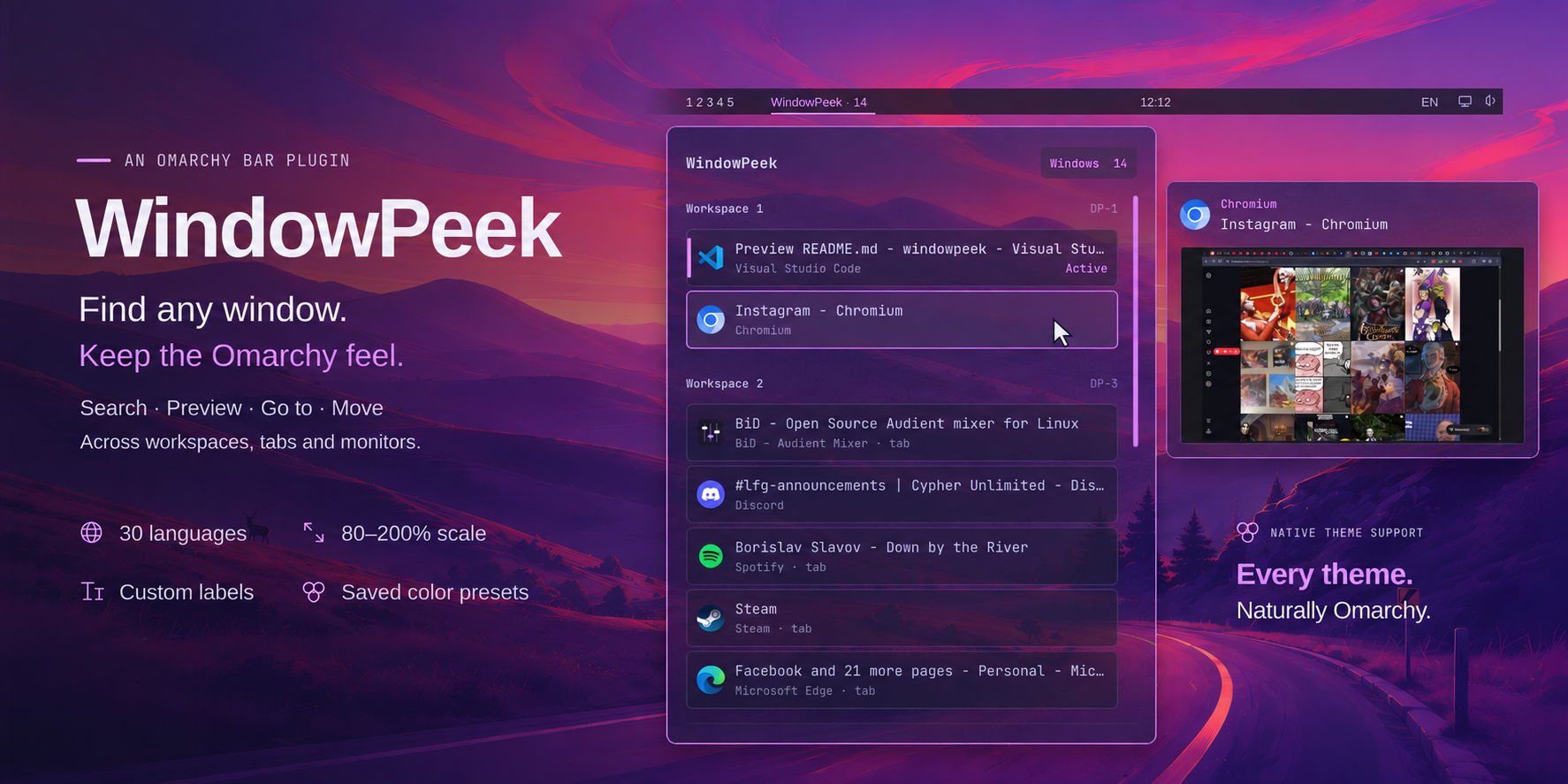
omarchy plugin add https://github.com/Sarr77/WindowPeek --enableWindowPeek appears on the Omarchy bar. Hover it to browse, or press Super + Alt + P to do it keyboard-first or search.
If you only have a handful of windows open, Hyprland's native navigation is already excellent. WindowPeek earns its place when your desktop becomes a working set: browsers, terminals, editors, agents, files and media spread across multiple workspaces and monitors.
With WindowPeek you can:
- Hover and browse your open windows straight from the bar.
- Search by title or app instead of remembering where a window went.
- Preview before switching, including windows on another workspace.
- Jump directly to windows and Hyprland group tabs.
- Move windows between workspaces, monitors and the scratchpad.
- Stay on the keyboard with configurable shortcuts and numbered selection.
- Hide previews instantly with Shift while presenting or sharing your screen.
- Make it look native. WindowPeek follows Omarchy themes automatically and can be customized much further when you want it.
| Shortcut | Action |
|---|---|
| Super + Alt + P | Open WindowPeek |
| Type | Search windows |
| Tab / Shift + Tab | Move between controls; the window list is one stop |
| ↑ / ↓ | Select a window |
| ← / →, then Enter | Choose the window or its Move action |
| Shift + Enter | Open Move for the selected window |
| Ctrl + 1–9 / 0 | Switch to a numbered window or group tab |
| Page Up / Page Down | Scroll by a page |
| Esc | Go back or close |
After opening with Super + Alt + P, number keys work without Ctrl for five seconds. 0 selects the tenth window.
Change bindings in Settings → Controls → Keyboard & mouse shortcuts.
WindowPeek follows your current Omarchy theme automatically. Leave it alone and in most cases it's gonna fit in. Or change the wallpaper, transparency, colors, scale, density, labels, animations, previews, shortcuts and its behavior until it is yours.
Settings includes 30 languages and live previews while you customize.
| Customize | Options |
|---|---|
| Panel | Wallpaper, solid or transparent backgrounds; optional blur and grain; panel can follow the current bar style |
| Colors | Omarchy theme colors or your own palette, with saved appearance presets |
| Layout | Panel and bar scaling, spacious or compact rows, custom labels |
| Pictures & animations | Omarchy artwork, 37 built-in effects or your own local files, with positioning and scaling |
| Behavior | Preview timing, hover behavior, scrolling, shortcuts, hints and window actions |
Explore settings · Default settings
Open Settings → Controls → Updates to check for updates, review changes and choose when to install the offered release.
The footer's Automatic updates switch enables update notifications. WindowPeek offers published GitHub Releases: a green dot means Verified by Omarchy, while an amber dot marks an Early WindowPeek GitHub release. The same release turns green when Omarchy verifies its exact commit. You can turn off Early GitHub releases, install an offered version now, leave it for later or skip it. A skipped early release returns if Omarchy later verifies it.
WindowPeek has no telemetry.
Window titles and previews are not saved to disk. Update checks contact GitHub and the Omarchy plugin catalog.
Use the ? icon for contextual hints, or open Settings → Controls → Hints and Support.
Report a bug or share an idea · Troubleshooting · Known issues
omarchy plugin remove sarr.windowpeekYour saved preferences survive reinstalls.
Requirements & development · Tests · Changelog
MIT · © 2026 Sarr
Selected components come from ScratchPeek; adapted Omarchy controls and the logo retain their MIT notice. See source provenance.
English · Polski